

Advanced Effects
The Advanced Effects utility provides professional-level styling controls for layout depth, overflow management, and interactive transformations. This allows for complex design behaviors without writing custom CSS.
Enabling the Utility
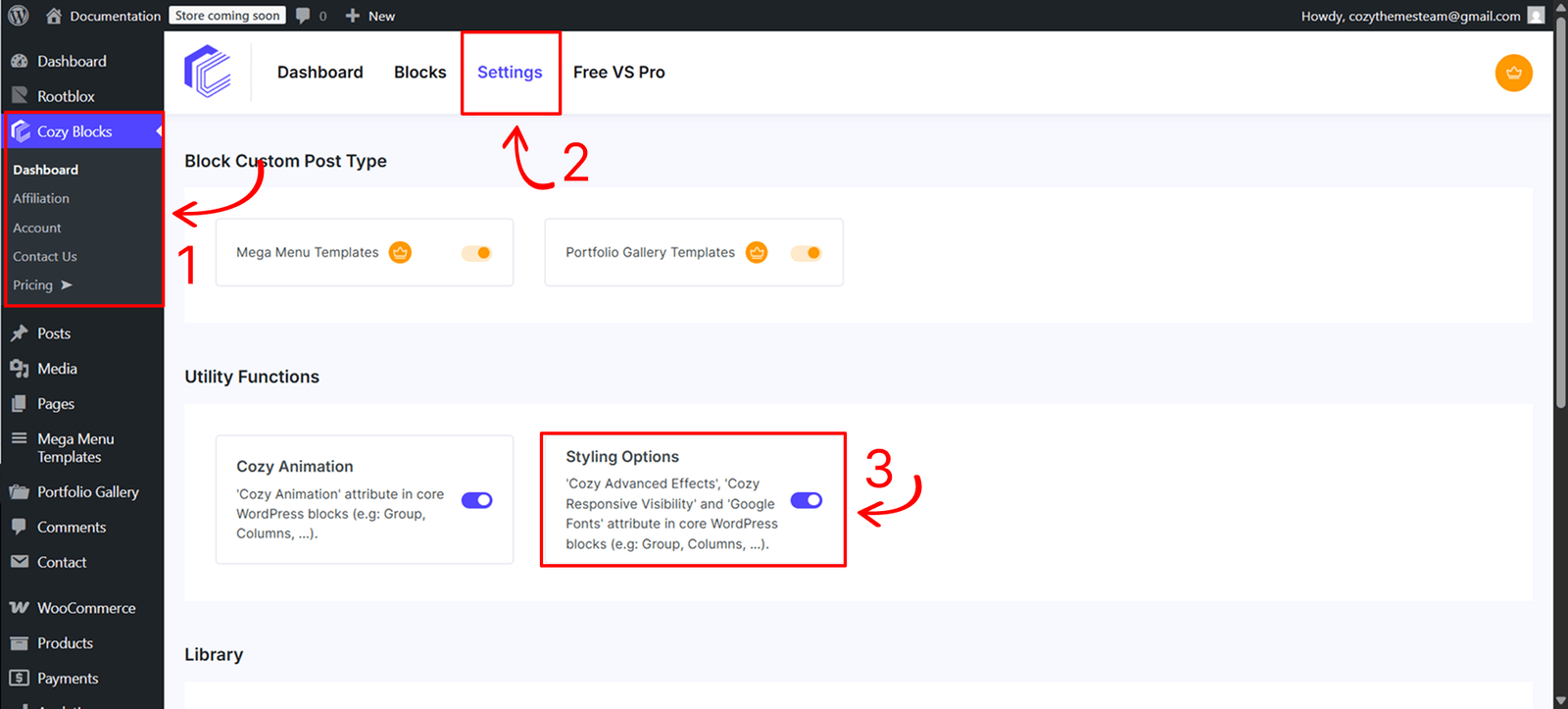
Before using this feature, you must activate the styling engine from your site’s administration area:
- Navigate to Dashboard > CozyBlocks.
- Click on the Settings tab.
- Locate the Utility Function section and toggle on Styling Options.
- Supported Blocks:This utility is available for a specific selection of high-impact blocks:
- Core Blocks: Buttons, Button, Group, Columns, Column, and Image.
Control
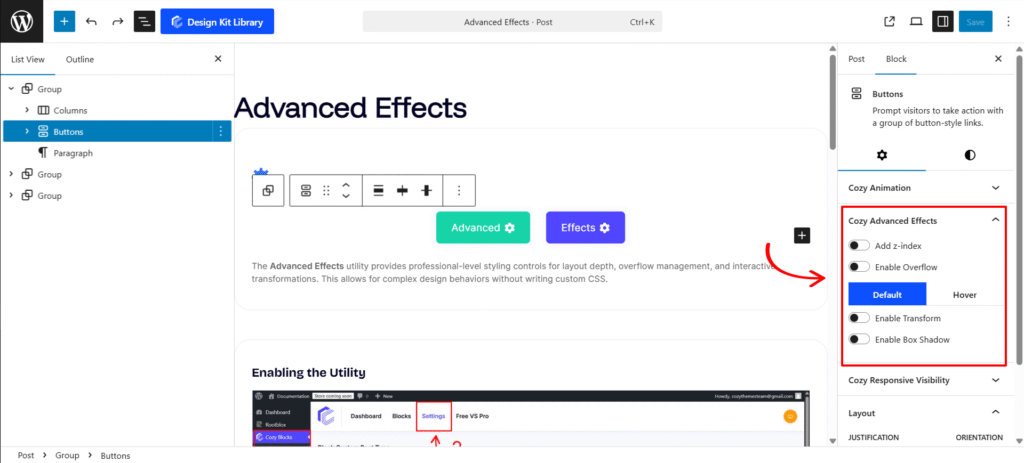
These settings control the stacking and containment of the block:
- Z-Index: Enable this toggle to manually control the stack order of the block. Use the slider to set the value; higher values will bring the block to the front of overlapping elements.
- Enable Overflow: A dropdown menu that defines how content behaves when it exceeds the block’s boundaries:
- Hidden: Clips the content at the edge.
- Visible: Allows content to spill outside the block (default).
- Scroll: Adds a scrollbar to the block.
- State-Based Styling (Default vs. Hover)
- Enable Transform: Modify the block’s shape and position in 2D space:
- Translate: Move the block along the Horizontal or Vertical axis.
- Rotate: Turn the block to a specific degree.
- Scale: Increase or decrease the size of the block.
- Enable Box Shadow:Add depth and dimension with comprehensive shadow controls:
- Horizontal & Vertical: Set the offset of the shadow.
- Blur & Spread: Control the softness and the size of the shadow.
- Position: Choose between Inset (inner shadow) or Outline (outer shadow).
- Color: Use the color picker to define the shadow’s tone and transparency.
- Enable Transform: Modify the block’s shape and position in 2D space: