

Animation on Scroll

Ready to Make Your Mark Online?
Sed ut perspiciatis unde omnis iste natus error sit voluptatem accusantium doloremque laudantium, totam rem aperiam
The Animation on Scroll utility allows you to add dynamic motion effects to your content as it enters the viewport. This feature is designed to capture visitor attention and create a more interactive browsing experience.
Enabling the Utility
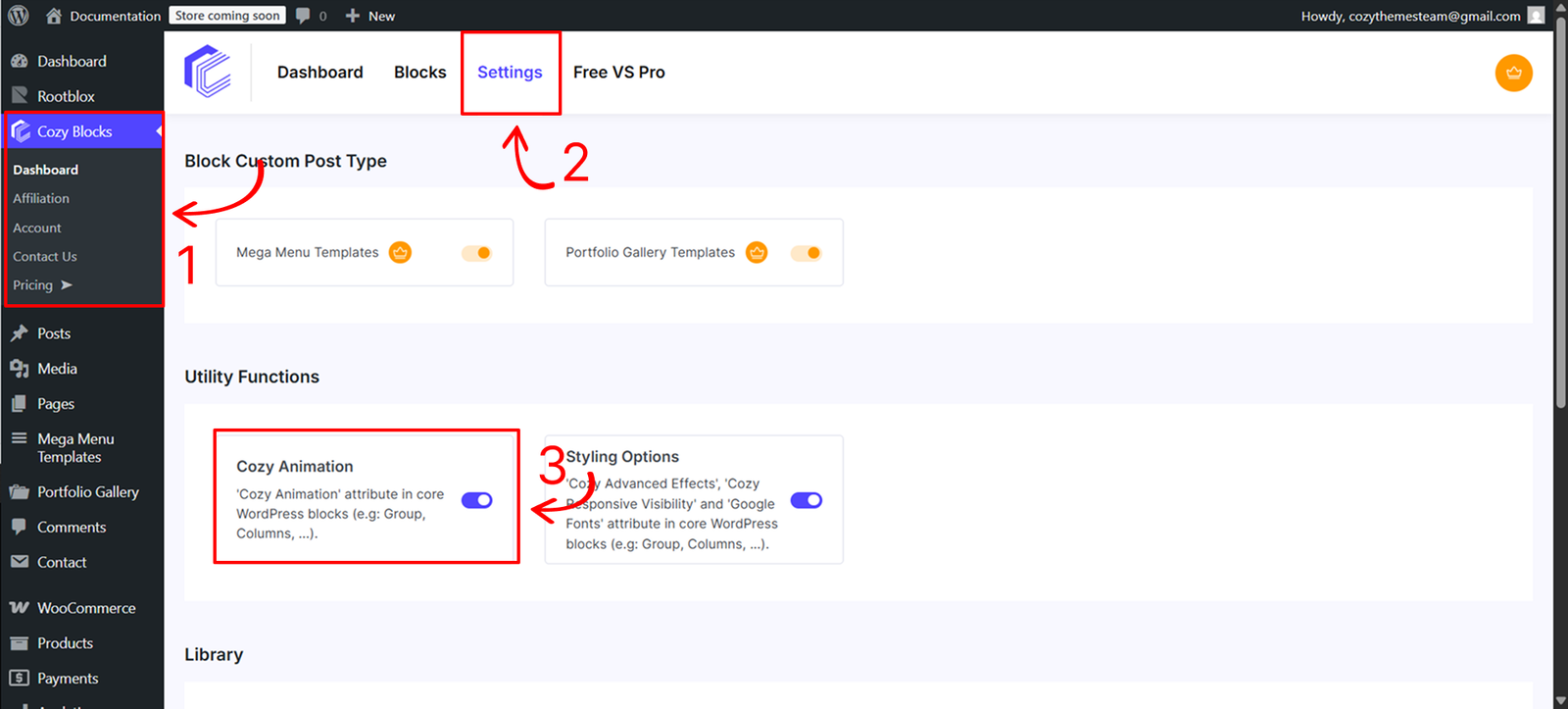
Before using this feature, you must activate the styling engine from your site’s administration area:
- Navigate to Dashboard > CozyBlocks.
- Click on the Settings tab.
- Locate the Utility Function section and toggle on Cozy Animation.
- Supported Blocks:This utility is available for a specific selection of high-impact blocks:
- Core Blocks: Buttons, Button, Cover, Group, Heading, Post Title, Site Title, Columns, Column, Image and Paragraph.
- Cozy Blocks: Slider, Post Slider, Product Slider, Mega Menu, and Grid.
Usage and Control
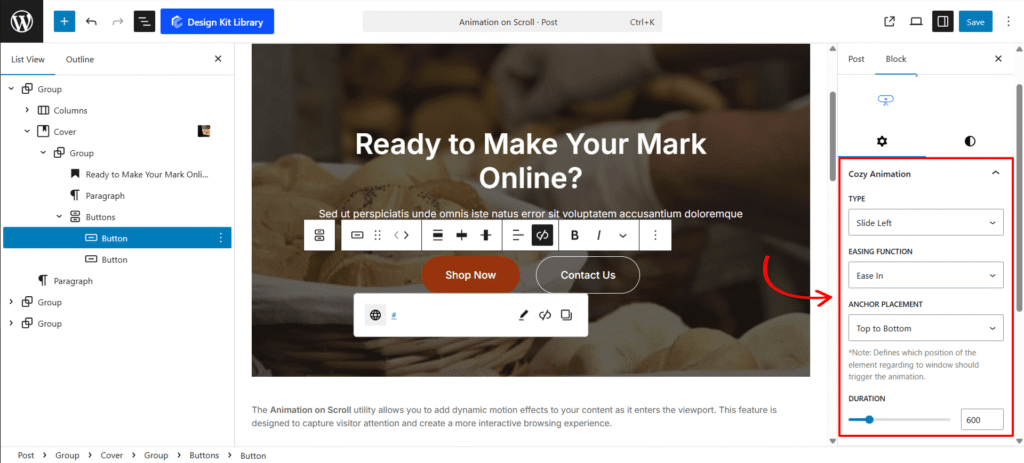
You can access these settings at the top of the settings panel in the block editor under the title Cozy Animation.
- Animation Type: Choose the primary motion effect, such as Fade In or Fade Out.
- Easing Function: Define the “feel” of the movement (e.g., Ease In, Ease Out, etc.) to determine if the animation starts slow, ends slow, or maintains a constant speed.
- Anchor Placement: Defines which position of the element relative to the window should trigger the animation (e.g., top-bottom, center-bottom).
- Duration: Set the total time it takes for the animation to complete, allowing for subtle transitions or bold, slow-moving effects.