

Google Fonts
Akaya Telivigala
Barlow
Chakra Petch
Denk One
Epilogue
The Google Fonts utility integrates a comprehensive typography engine directly into the WordPress editor, allowing you to access a vast library of professional typefaces without custom code.
Enabling the Utility
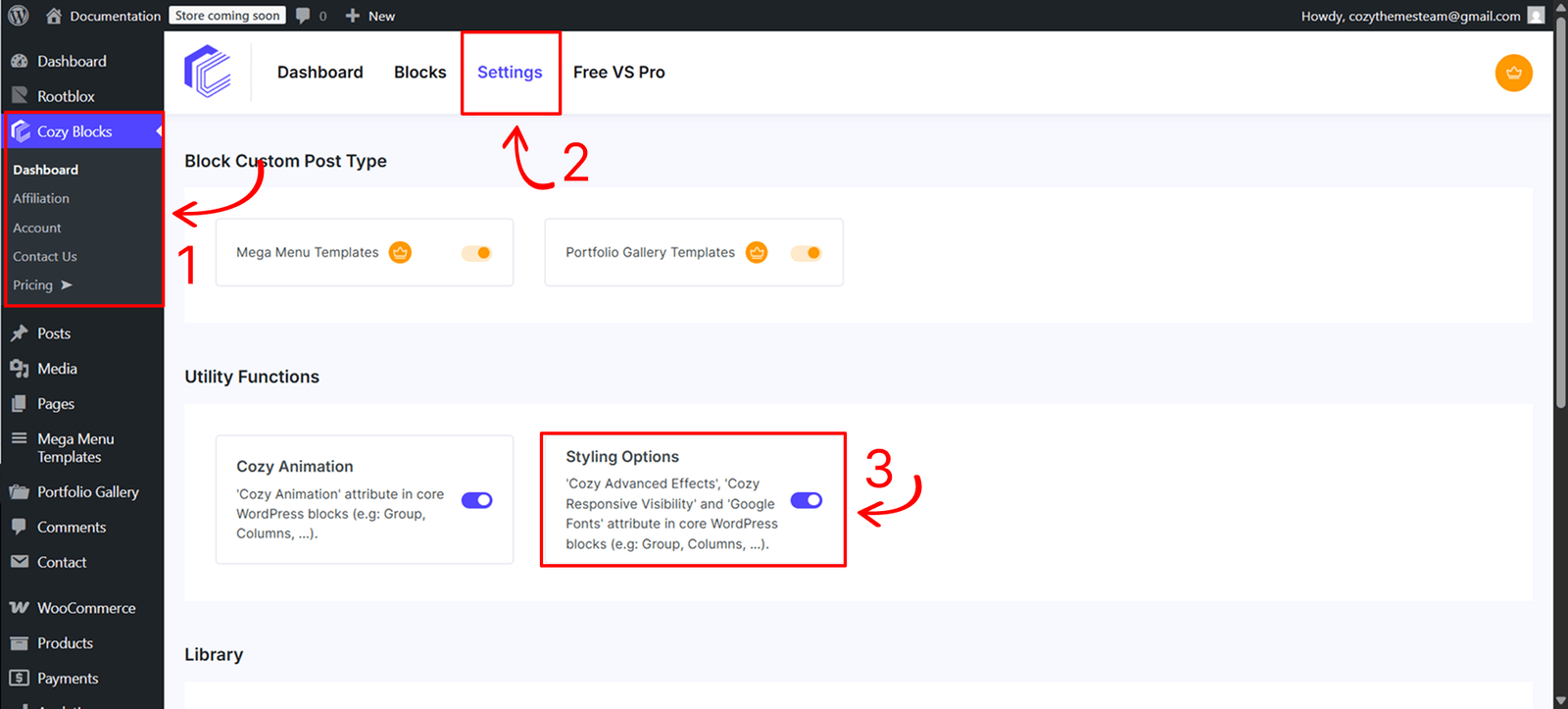
Before using this feature, you must activate the styling engine from your site’s administration area:
- Navigate to Dashboard > CozyBlocks.
- Click on the Settings tab.
- Locate the Utility Function section and toggle on Styling Options.
Usage and Control
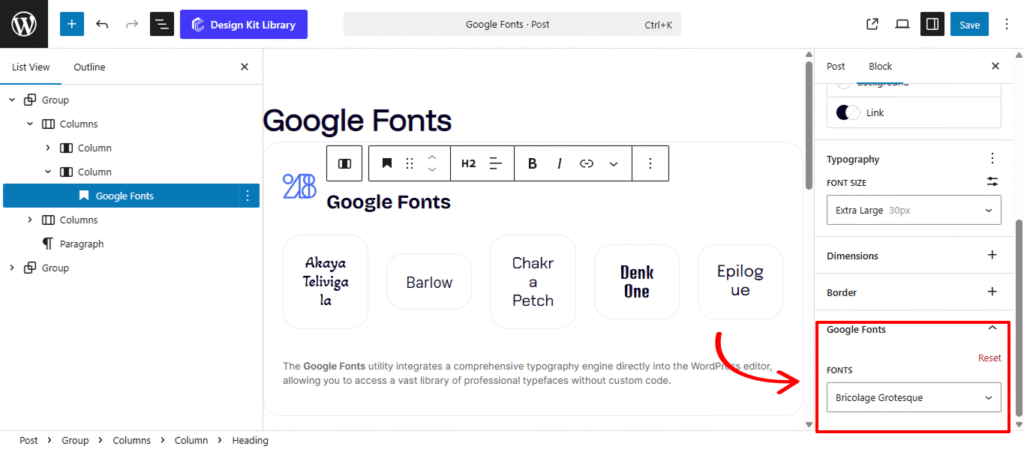
Once enabled, the typography controls become available within the Gutenberg editor interface:
- Availability: This utility is accessible on all typography-based core blocks of WordPress (such as Paragraph, Heading, and List blocks).
- Location: Select your block and navigate to the Styles panel in the editor sidebar. The settings are located at the bottom under the panel title Google Fonts.
- Font Library: You can choose from a total of 1,525 fonts. Simply select your desired typeface from the dropdown menu to apply it instantly to your content.