

Advertisement
The Advertisement Block is a versatile monetization tool designed to help you integrate revenue-generating content into your site layouts. It offers the flexibility to display either static promotional banners or dynamic third-party scripts, ensuring compatibility with both direct sponsorships and major ad networks.
Settings ⚙
General
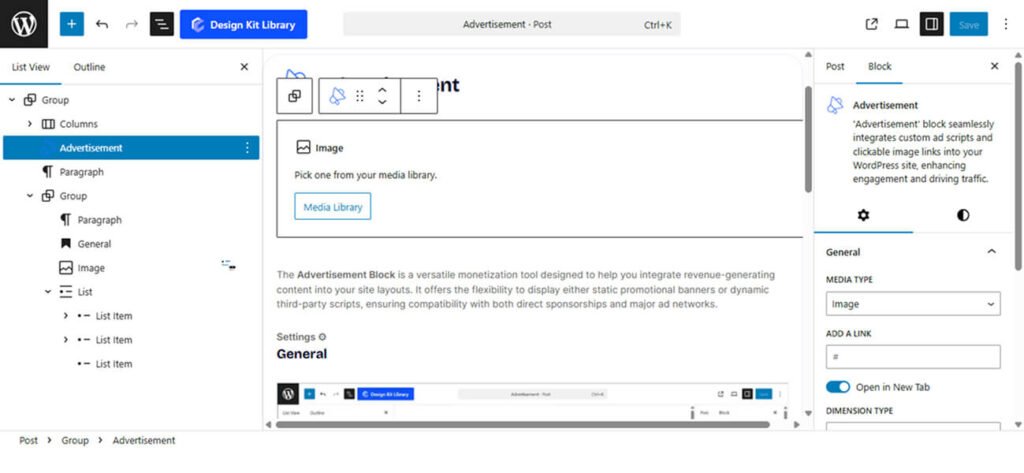
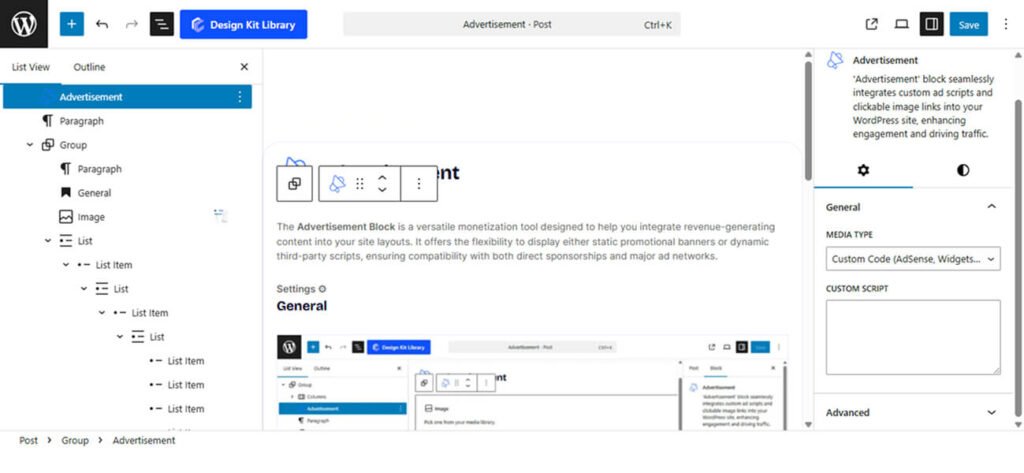
- Media Type: Select your advertisement source.
- Image: Choose this to upload a static banner. You can add your image by clicking the Media Library button directly within the block.
- Replace Image: Swap the current banner with a new asset from your media library.
- Add a Link: Enter a destination URL to make the advertisement clickable.
- Add Alt Text: Provide a description for screen readers and search engines.
- Add Image Title: Define the title attribute for the image.
- Add Image Caption: Include a text label (e.g., “Sponsored”) below the ad.
- Gap: Adjust the vertical spacing between the image and the caption.
- Align: Position the caption text to the Left, Center, or Right.
- Dimension Type: Choose from industry-standard preset sizes or a custom layout:
- Header Banner: 765px X 100px
- Content Banner: 1180px X 160px
- Square: 320px X 320px
- Portrait: 320px X 420px
- Custom: Manually define your own dimensions(Image Width and Image Height).
- Align: Position the entire advertisement block to the Left, Center, or Right of your content area.
- Border Radius: Round the corners of your banner to match your site’s design style.
- Custom Code: Choose this to paste snippets from AdSense, widgets, or other external ad networks.
- Image: Choose this to upload a static banner. You can add your image by clicking the Media Library button directly within the block.
Demo
