
Design Kit Library
The Design Kit Library is a powerful integrated feature of Cozy Blocks that provides instant access to hundreds of professionally designed layouts. Instead of building from scratch, you can import ready-made sections and full pages directly into your editor.
Enabling the Library
Patterns are the building blocks of your website. They consist of individual, high-quality sections designed for specific functional purposes. Instead of building from scratch, you can drop these patterns into any page and customize the content.
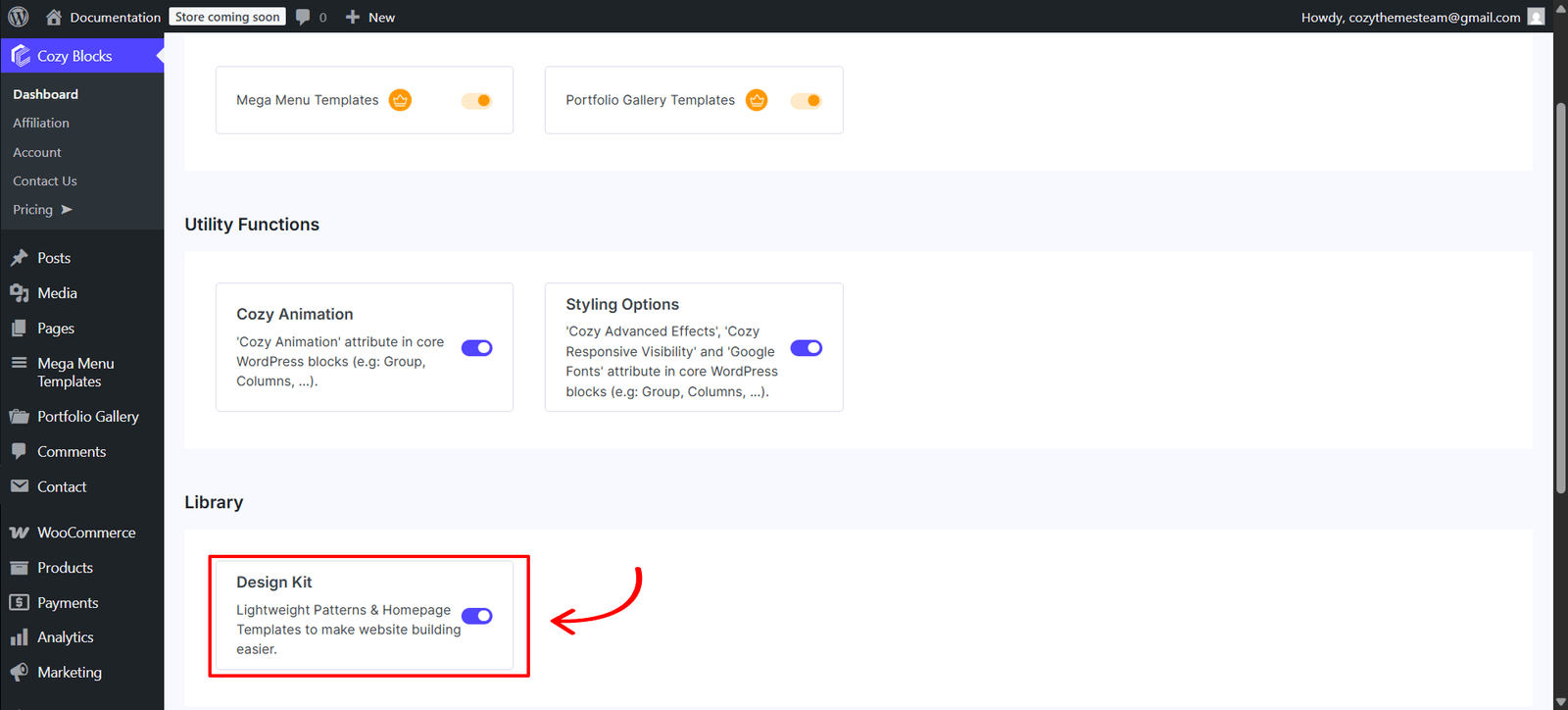
- Navigate to Dashboard > CozyBlocks.
- Click on the Settings tab.
- Locate the Library section and toggle on Design Kit.
Accessing the Library
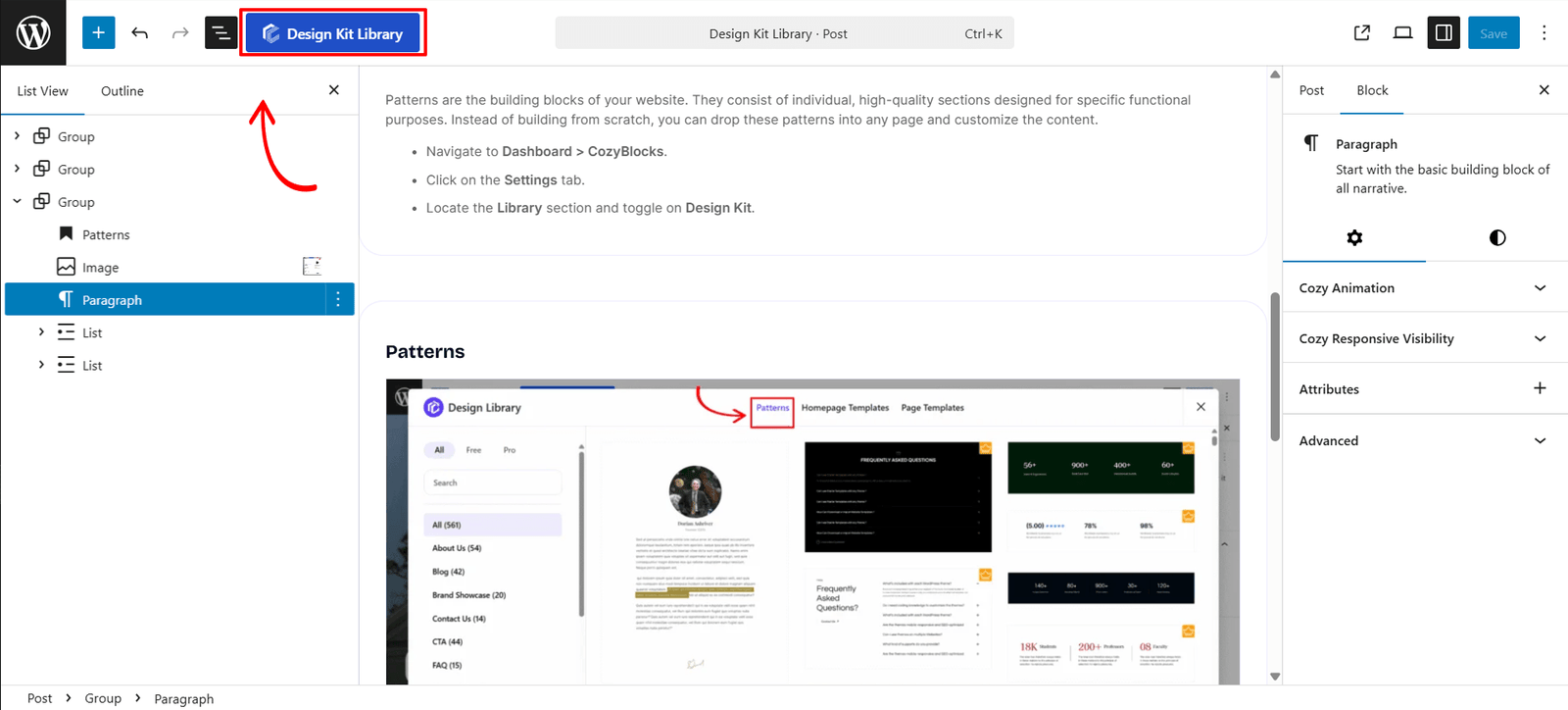
Getting started is simple. You can access the entire library without ever leaving the WordPress editor:
- Open the Block Editor: Navigate to the page or post you wish to edit.
- Click the Design Kit Library Button: Look at the Editor Top Toolbar (the bar at the top of your screen). Click the blue Design Kit Library button.
- Browse the Modal: A popup modal will appear, allowing you to browse through all available designs.
Library
The library is organized into three main tabs to help you find the right level of design for your needs:
Patterns
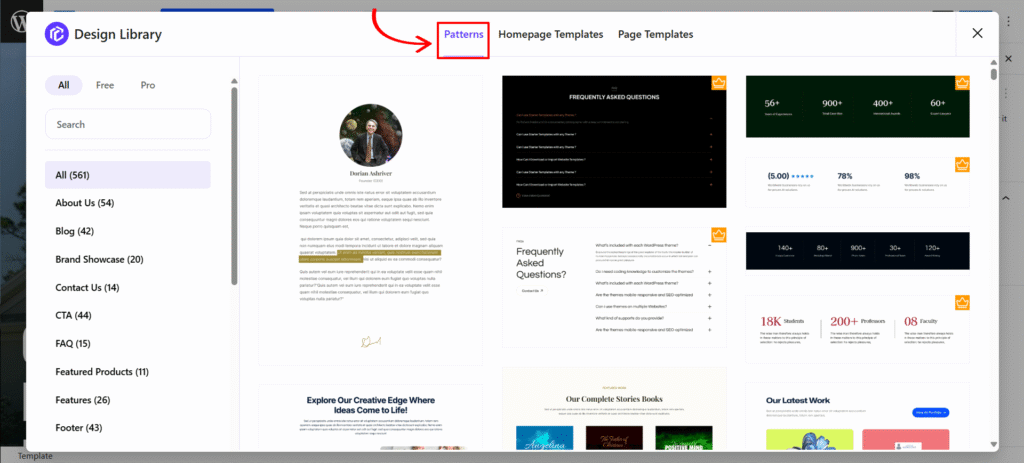
Patterns are individual sections designed for specific functional purposes. They are the “building blocks” of your site.
- Categories: About Us, Brand Showcase, Contact Us, CTA, FAQ, Footer, and more.
- Use Case: Perfect for adding a single professional section (like a “Features” grid) to an existing page.
Homepage Templates
Homepage Templates are complete, multi-section layouts designed for the main landing page of a website.
- Categories: Includes layouts for Agency, Business, Charity, Education, Hotels & Restaurants, and more.
- Use Case: Best for launching a new website quickly with a cohesive, industry-standard look.
Page Templates
Page Templates provide full layouts for the essential inner pages of your website. This feature is only available to certain theme as of the version 2.2.9. Themes that works with Page Templates are:
- Categories: Pre-designed pages for About Us, Blogs, Contact Us, Portfolio, and Services.
- Use Case: Use these to ensure your secondary pages maintain the same design quality as your homepage.
Key Features & UI Navigation
The Design Library interface is built for speed and ease of use:
- Sidebar Filtering: Use the left sidebar to filter designs by niche or category.
- Free & Pro Toggle: Easily switch between Free designs and Pro layouts. Pro designs are marked with a Gold Crown icon.
- Search Bar: Know exactly what you’re looking for? Use the search bar to find patterns by name (e.g., “Pricing”).
- Instant Import: Hover over any template to see a preview, then click to instantly insert the design into your page.